Cutting our removal model from 50 sampling steps to 4 took a pass from about 210 seconds to 45 with no measured loss in quality, but the last 45 seconds was fixed VAE and text-encoder work that fewer steps can't touch. This article shows where the time went on one clip and when steps do matter.
Method. Our own tests on one 5-second clip with a true background plate, on a rented NVIDIA A40 GPU: a 12 vs 50 step comparison on 11 November 2026 and a five-setting comparison on 12 November 2026, one run per setting. Vinc makes an AI film studio, and these are our own tests of our own pipeline.
What this means for you
Don't assume half the steps means half the bill. On the removal model we tested, going from 12 to 6 steps saved only 13 seconds of a 63-second pass. Time one pass at two step counts before you trade quality for speed.
If you run an open model on a rented GPU, turn off CPU offload when the model fits in memory. At the same 12 steps, that alone cut 82 seconds per pass to 63.
Keep the model loaded between jobs. Loading took 92 to 120 seconds, as long as two full passes at 4 steps. A setup that reloads per clip pays that every time.
For clean plates, try low step counts and check the frames. 4 steps scored as well as 50 on our clip, within 0.4 dB, though both were softer than the real background.
On big models, steps still dominate. A 14B region-edit model cost 55 seconds per step on the same GPU, so there cutting steps is the first thing to try.
Fewer sampling steps should mean a faster, cheaper render, and model cards talk about steps more than anything else. We tested that on the object-removal model in Vinc's video-layers pipeline (the system that splits a shot into separately editable layers). It holds only up to a point: at 4 steps, a floor of about 45 seconds per pass remained, spent on the VAE (which encodes frames into the model's format and back) and the text encoder, with loading the model (92 to 120 seconds) on top.
The model and the job
The model was Casper, a fine-tune of CogVideoX-Fun 5B, which removes objects from a clip and invents what was behind them. For a two-object clip our pipeline ran it three times (clean plate plus one pass per object), so every second per pass counts three times.
The test clip was about 5 seconds of two children on a beach, on a rented NVIDIA A40. It has a true background plate, so we scored quality as PSNR against it after colour matching, in dB (higher is closer):
Fill PSNR: only the invented region, where the objects were.
Frame PSNR: the whole frame.
First runs: the first hint (11 November 2026)
Our first run used the repository's defaults (50 steps plus a layer-optimisation step) and took 30 minutes for two layers, $0.86, though 25 minutes of that was idle GPU. The second run changed one thing at a time:
Setting
Time for 3 passes
Plate PSNR vs true plate
50 steps
639 s
27.90 dB
12 steps
363 s
27.78 dB
(These plate figures are from before we added colour matching, which is why they're lower than the later numbers.)
Cutting steps by 76% cut time by 43% (our arithmetic), with a 0.12 dB quality change: real, but far from proportional. Our note at the time: "~90 s per pass is fixed overhead, not sampling." Once we replaced the layer-optimisation step (about 30 minutes down to 13 seconds), Casper was about 95% of the clip's processing time.
Where the 90 seconds went (12 November 2026)
The next day we asked where those ~90 seconds go, and whether they can be cut at equal plate quality. Each row changes one thing from the row above. fp8 and bf16 store weights at 8 and 16 bits per number; CPU offload parks parts of the model in system memory when the GPU is short of room.
Setting
Model load
Seconds per pass
Fill PSNR
Frame PSNR
Second-run setting, 50 steps (reference)
–
~210
34.71
35.50
Repo default: fp8 weights + CPU offload, 12 steps
120 s
82 (first pass 101)
34.98
35.73
bf16 weights, fully on GPU, 12 steps
111 s
63
35.00
35.74
bf16, 6 steps
92 s
50
34.96
35.70
bf16, 4 steps
115 s
45
35.09
35.81
Casper seconds per pass, A40, beach clip (lower is faster)
50 steps (reference)210 s
fp8 + CPU offload, 12 steps82 s
bf16 on GPU, 12 steps63 s
bf16, 6 steps50 s
bf16, 4 steps45 s
Our test, 12 November 2026. Each setting changes one thing from the one above. Model load (92–120 s) not included.
Invented-background accuracy, same settings (fill PSNR vs true plate, dB)
50 steps (reference)34.71
fp8 + CPU offload, 12 steps34.98
bf16 on GPU, 12 steps35.00
bf16, 6 steps34.96
bf16, 4 steps35.09
Our test, 12 November 2026. Higher is closer to the true plate. The spread across all five settings is 0.38 dB.
Three things stand out.
1. Steps stopped mattering quickly. 12 to 6 steps saved 13 seconds per pass; 6 to 4 saved 5 more. If time were all sampling, halving the steps would roughly halve the time.
2. Where the weights live mattered as much as the step count. At 12 steps, bf16 fully on the GPU instead of fp8 with CPU offload cut 82 seconds to 63. Offload moves parts of the model back and forth, and that traffic costs time on every pass.
3. Quality didn't fall. 4 steps scored highest (35.09 dB fill, 35.81 frame, against 34.71 and 35.50 for 50 steps), but the whole spread is under 0.4 dB on one clip, so we don't read that as fewer steps being better. In zoomed crops 4 and 12 steps were indistinguishable, and both were softer than the true plate.
Source
True plate
50 steps: ~210 s per pass, 34.71 dB
4 steps, bf16 on GPU: 45 s per pass, 35.09 dB
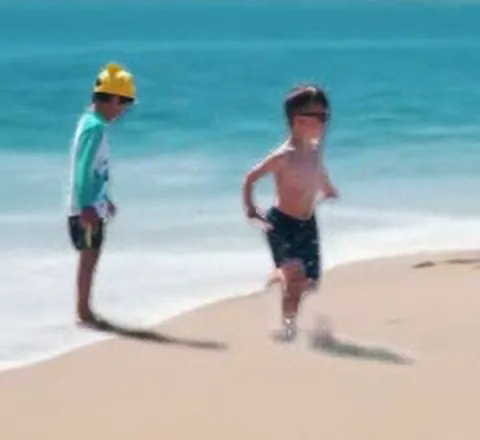
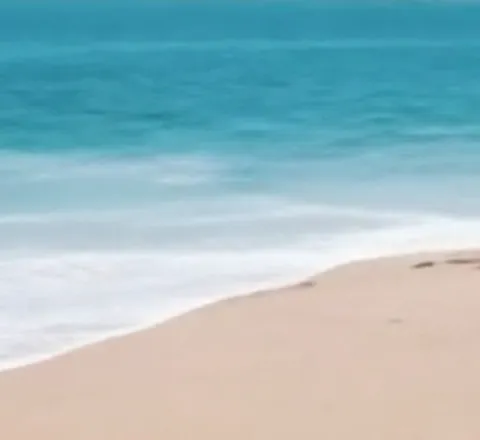
Notice that the 4-step and 50-step fills are hard to tell apart: both remove the two children and their shadows, and both are softer than the true plate in the surf. The 4-step pass took 45 seconds against about 210, and its fill PSNR was 35.09 dB against 34.71.Our test, 11–12 November 2026. One frame of the beach clip, cropped around the removed children and enlarged 2×; fills shown as the model returned them, before colour matching.
The floor: 45 seconds that steps can't touch
At 4 steps, our notes put the remaining ~45 seconds per pass down to VAE encode and decode of 85 frames, and the text encoder. Neither scales with step count. Then there's the model load, 92 to 120 seconds: paid once per process, or every job if your setup starts a fresh process each time.
For a typical clip, by our notes:
Setup
Time for a 3-pass clip
Before this test
~5 min + model load
bf16 on GPU, 4 steps
~2.3 min + model load
That's 1.8× faster per pass at the same measured quality.
What would actually cut the bill next
Our next steps target the fixed costs:
Keep the model resident. Load it once per server instead of once per job.
Batch the three passes into one forward run, so shared work isn't repeated three times.
Tile or compile the VAE.
When steps do matter
Steps matter when each step is heavy compared with the fixed work around it. Other models from the same research show the other end:
Model
Per-step cost
Note
Wan VACE 14B, region edit, A40 with offload
55 s per step
~20 min per edit
Wan VACE 14B, region edit, H100, no offload
13 s per step
~400 s per edit, 42 GB
ROSE removal, A40, 50 steps
not broken out
~10 min per clip. Fewer steps untested
MiniMax-Remover, A40, 6–12 steps
not broken out
~58 s per clip
At 55 seconds per step, steps are a big part of the bill, and so is offload: the same model ran at 13 seconds per step on a bigger GPU without it. For a 14B model doing region edits, cut steps first. For a 5B model on an 85-frame, low-resolution clip like Casper here, step-cutting stops paying off in single digits.
How to check your own setup
Time one pass at two step counts. If halving the steps doesn't come close to halving the time, work on the fixed overhead.
Time the model load separately. If it's paid per job, keeping the model loaded may save more than any step change.
Score quality against something real, such as a true plate, then look at the frames: numbers within half a dB can still hide a visible difference.
What we didn't measure
One clip, one GPU type, one run per setting. No repeats, so we can't put error bars on the seconds.
We didn't break the 45-second floor down into VAE and text-encoder parts with a profiler. The split is from our notes, not a measured trace.
Cost in dollars per setting. The whole speed test cost under a dollar of A40 time (our notes give about $0.4 to $0.6 including setup). We didn't price each setting separately.
Fewer steps on other removers. ROSE at fewer than 50 steps is untested.
Higher resolution. Casper ran at 672×384. At higher resolutions the balance between VAE work and sampling may change.
How we compiled this
We ran these tests on rented NVIDIA A40 and H100 GPUs on 11 and 12 November 2026 and didn't re-run anything for this article. Arithmetic not in our test notes, such as the percentage changes, is labelled as ours.
Read more →
Research··4 min read
What an AI Shot Really Costs, and Why Credits Are the Wrong Unit
Price AI film work by the cost of a shot the client accepts, not by the credits it takes to render one. This article puts three public figures from November 2026 side by side and shows that each one points the same way: generation is a small, visible line item, and judgement, revision and review are where the money goes.