Types of transitions in film editing, from the hard cut to the glitch: where each came from and what it tells the audience, with Rope, 1917 and the first wipe.
Method. Checked November 18, 2026 against Columbia University's Film Language Glossary, Yale's Film Analysis guide, the DaVinci Resolve 20 manual, Adobe's Morph Cut help page, the BFI, Roger Ebert, The Hollywood Reporter, Variety and Google's Veo prompt guide. Vinc makes an AI film studio.
Looking for the logic of continuity cutting? See [Continuity Editing Grammar](/blog/continuity-editing-grammar). For the post-production workflow, see [Film Editing and Post-Production Terms](/blog/film-terms-editing-and-post).
How to use this part
A transition is whatever joins one shot to the next. Most are plain cuts; the rest, from the dissolve to the glitch, each carry a conventional meaning audiences have learned over a century of films.
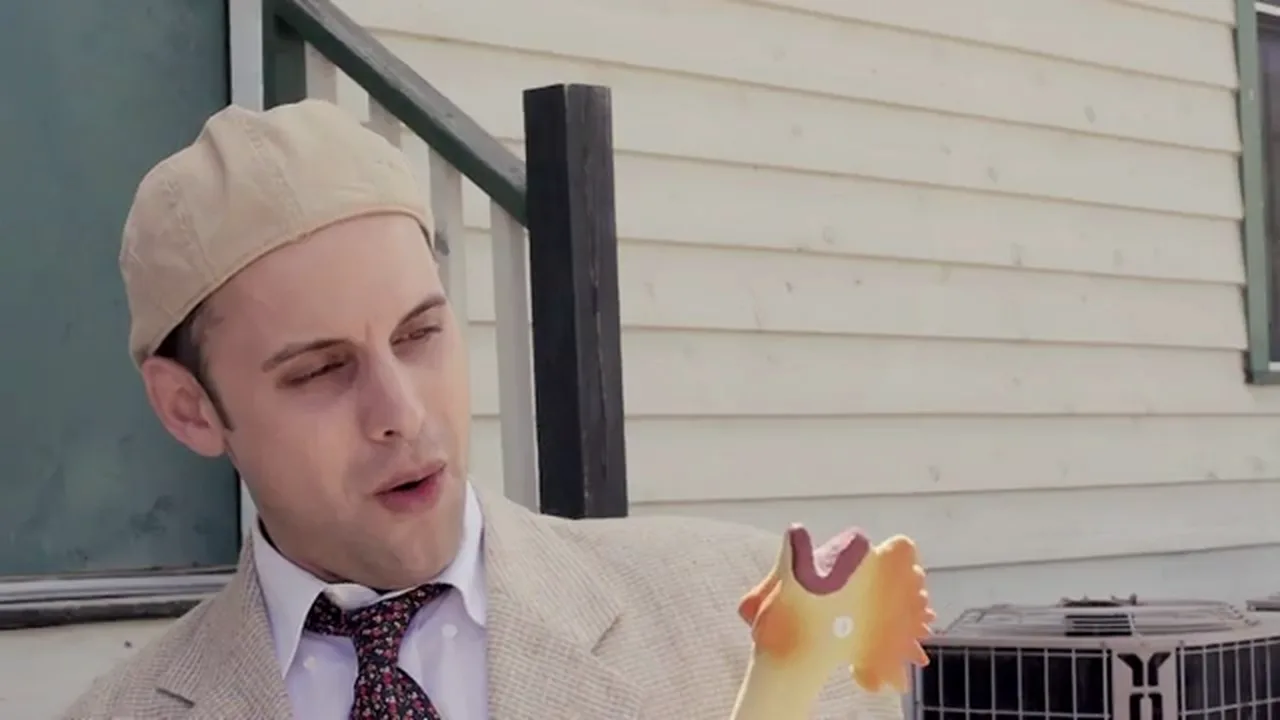
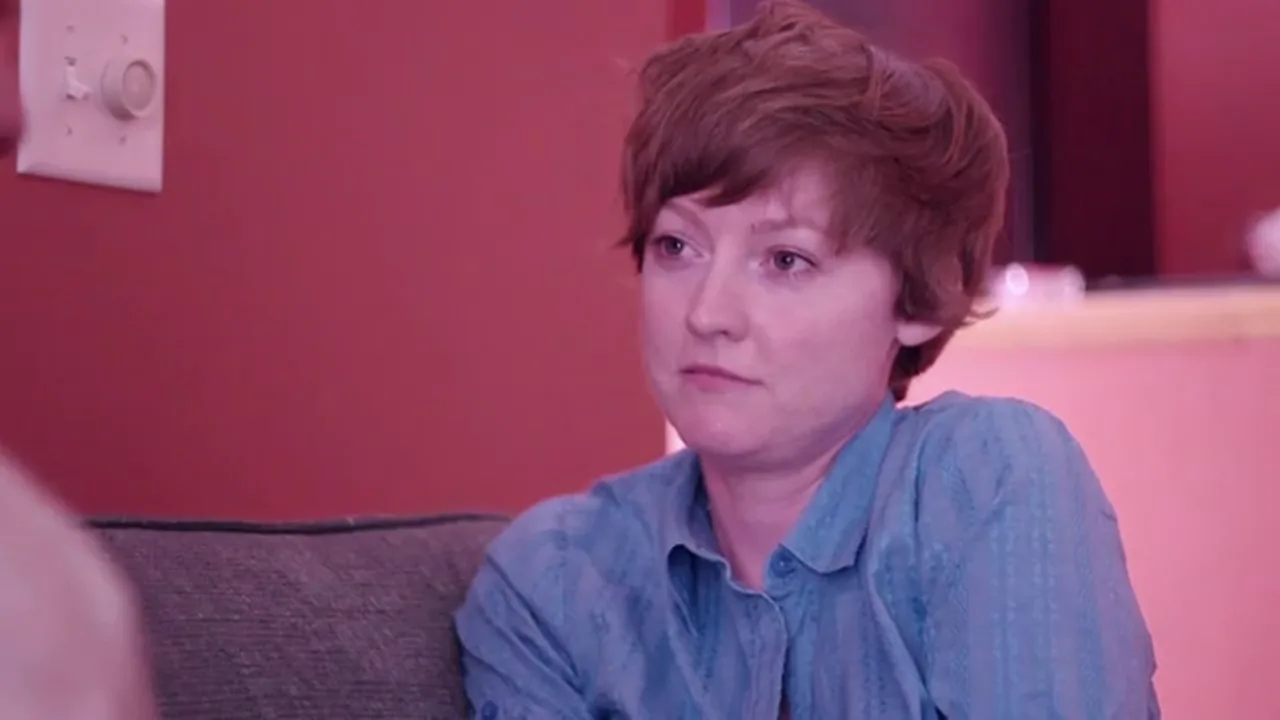
A cut is an instant change from one shot to the next, with no frames shared between them. "Hard cut" and "straight cut" both mean a plain cut, as opposed to a dissolve or effect. In the continuity style, Columbia's Film Language Glossary says, "the audience is not meant to be aware of the changing shots."
Last frame of shot A
First frame of shot B
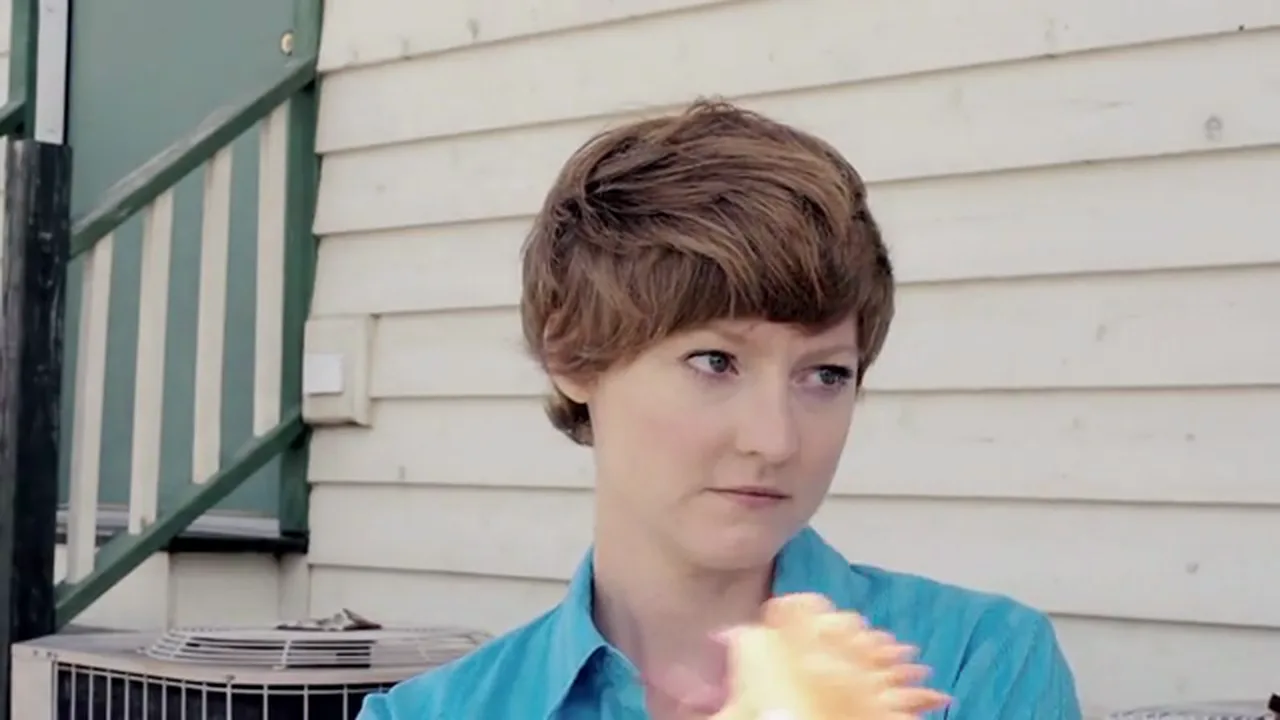
A plain cut in a porch conversation: the picture jumps from her single to his in one frame, with no frames shared between the two shots.Still from A Sad State of Affairs (2009), M.A. Lanoue / Squire Films, CC BY-SA 3.0 US.
Smash cut
A smash cut is a deliberately abrupt cut that slams two contrasting moments together. Backstage (March 2023) defines it as "a film edit that cuts abruptly from one scene to another, meant to highlight the difference between the two," often at "the most heightened point and before the scene reaches a natural resolution."
Smash cut
Our illustration: two still seconds on a marble bust, half its face in shadow against black, then a hard cut to the sunlit Odessa Steps, where people fall and run among the bodies.Our illustration, edited from a Vinc lab render (CC0 assets: see ASSETS) and Battleship Potemkin (1925), Sergei Eisenstein. Public domain (US).
Match cut
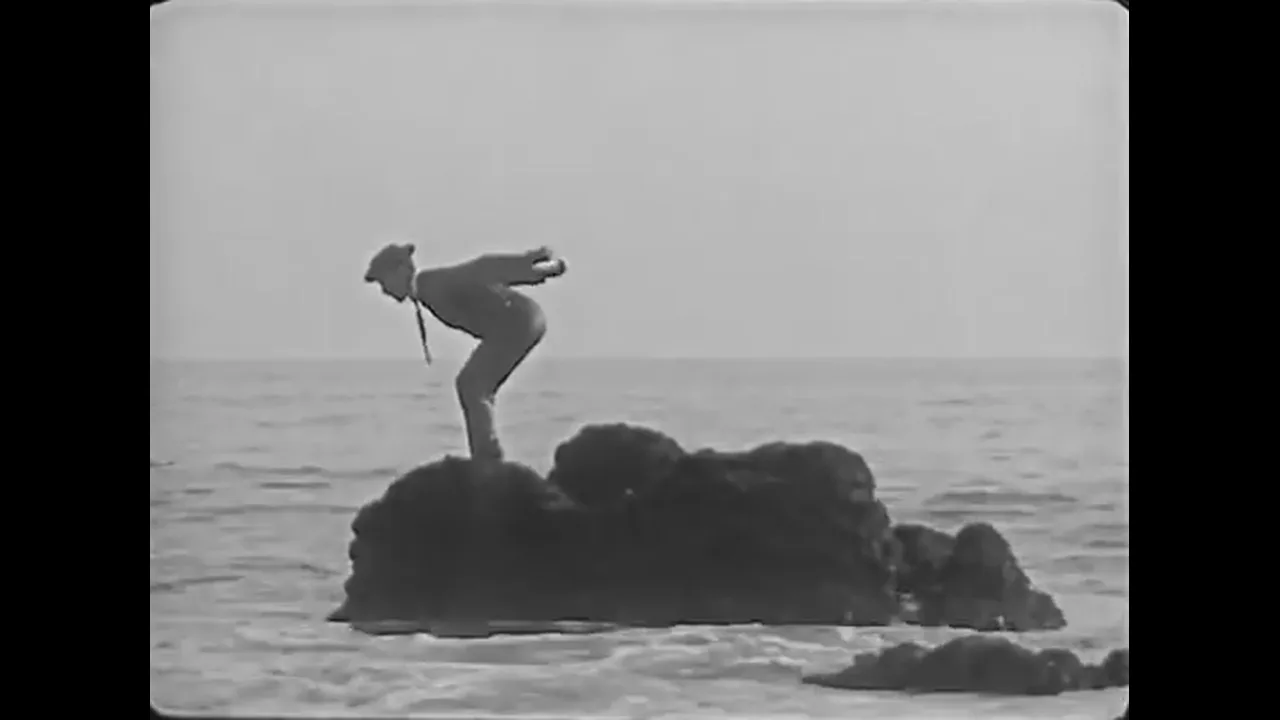
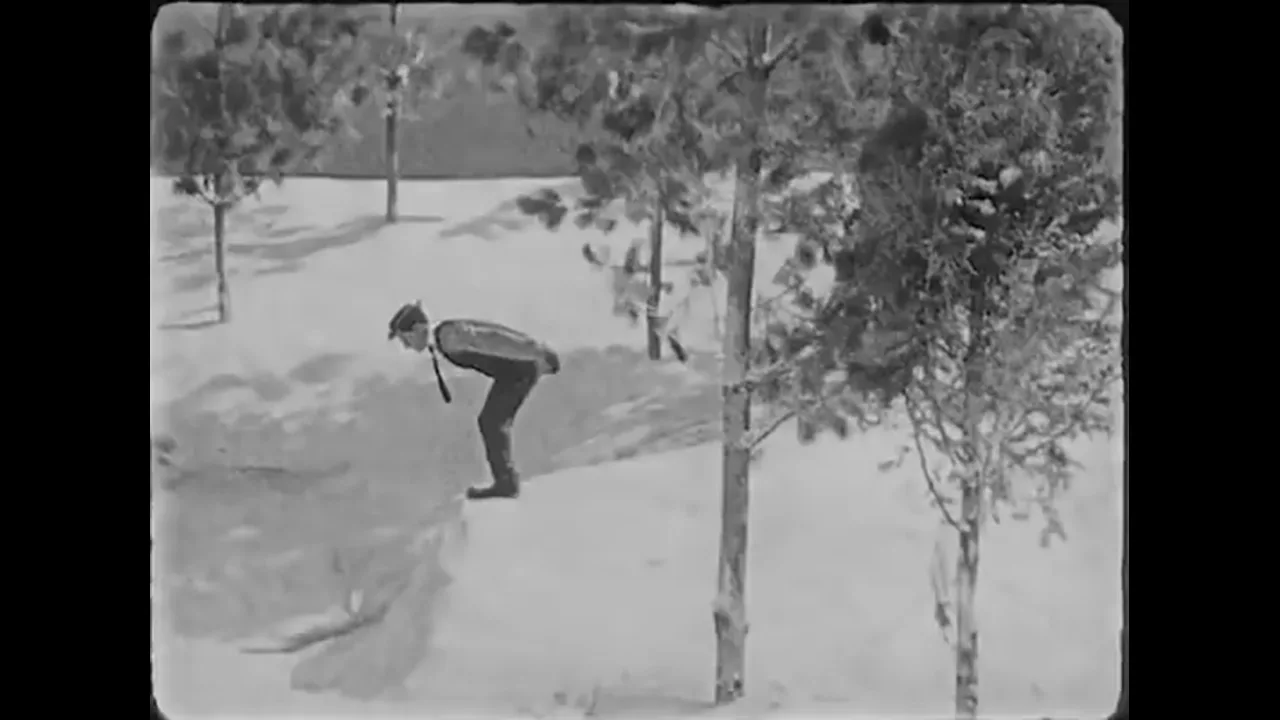
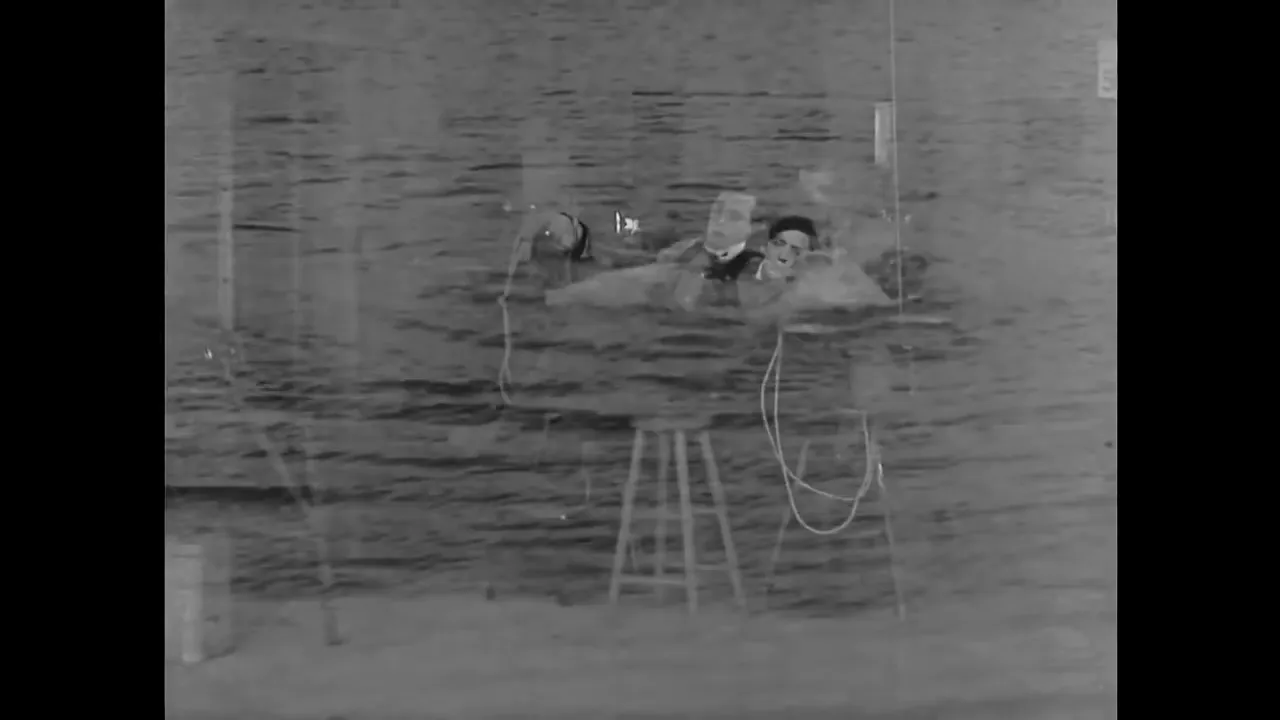
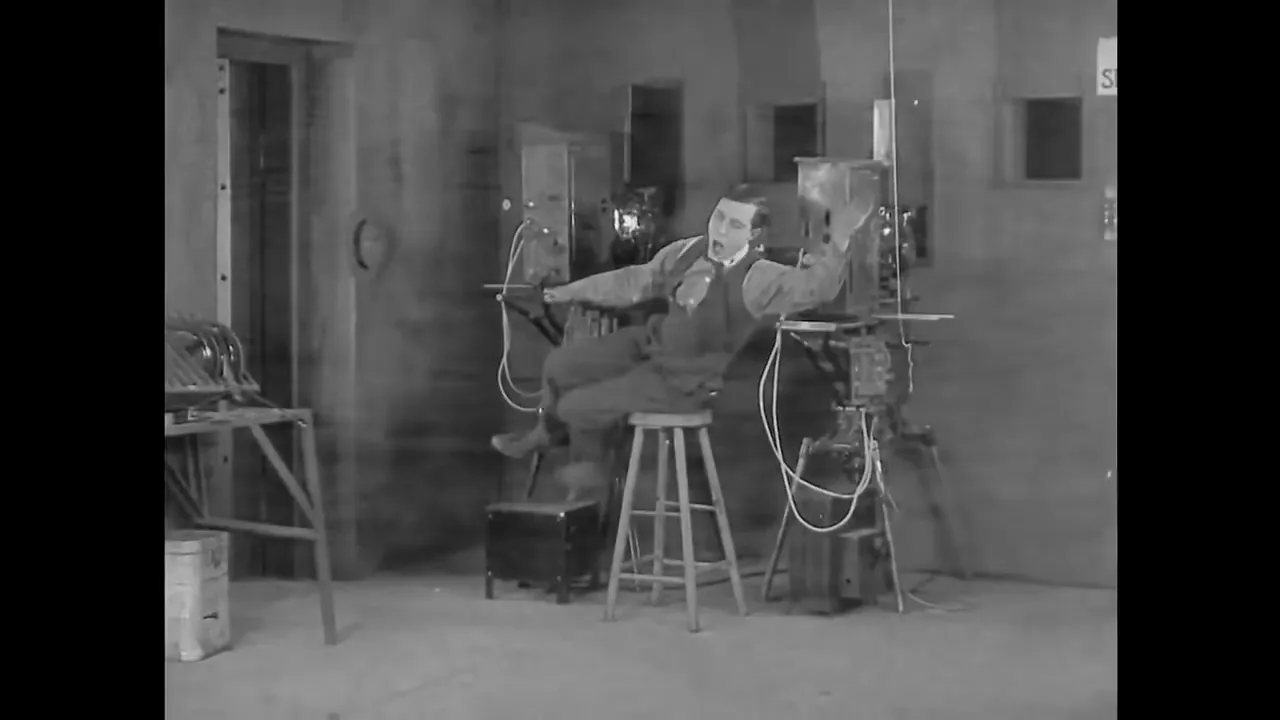
A match cut links two shots through a shared element: a shape, a movement, a sound or an idea. The best-documented example is Lawrence of Arabia (1962), where the BFI describes "the cut from an extinguished match to the blazing desert sun," which editor Anne V. Coates said "came about by accident".
Shot A
Shot B
In the film-within-the-film, Keaton keeps the same bent diving pose in the same part of the frame while the cut swaps a rock in the sea for a snowy wood.Sherlock Jr. (1924), Buster Keaton. Public domain (US).
A match cut: the outgoing and incoming shots share a shape or movement across the edit point.
Graphic match
A graphic match is a match cut based on composition alone. Yale's Film Analysis guide defines it as "two successive shots joined so as to create a strong similarity of compositional elements (e.g., color, shape)," used either to smooth a continuity cut or to build "metaphorical associations."
Graphic match
Our illustration: a slow zoom on a round, glowing street-lamp globe at night, then a hard cut to a full Moon in a dark sky. Watch the circle: it holds the same position and size across the cut, and the zoom carries on through it.Rendered in Vinc's virtual camera lab (CC0 assets; moon: NASA, public domain).
Jump cut
A jump cut removes a piece of continuous action, so the subject seems to jump within the same framing. Columbia says it is typically "used to draw the audience's attention to the conventions of filmmaking," with Godard's Breathless (1960) as the standard example. Yale adds it is used "to suggest the ruminations or ambivalences of a character."
Jump cut
Our illustration: one locked two-shot with two seconds cut out of the middle. The camera and framing don't change, but at the edit her head and hat snap to a new angle and her gloved hands appear in her lap.Our illustration, edited from His Girl Friday (1940), Howard Hawks. Public domain (US).
A jump cut: the same framing on both sides of the edit, with time removed in between.
In a prompt: Google's Veo prompt guide accepts "jump cut" and "match cut", for example "sharp jump cuts between each outfit change."
Invisible cut (hidden cut)
An invisible or hidden cut is placed where the audience cannot see it, in a moment when the frame is dark, blurred or close to the lens, usually to make several takes look like one. The founding example is Hitchcock's Rope (1948), which Roger Ebert says was shot "without any visible cuts, so that it would look like one continuous shot."
Invisible cut
Our illustration: the camera trucks right along an empty street while a dark foreground pillar sweeps across the lens. For a few frames the pillar fills the screen, and the cut hides there: when it clears, we are in a different shot, much closer to the gilded statue.Our illustration, made in Vinc's virtual camera lab (CC0 assets).
1917 (2019) and Birdman (2014) use the same idea with digital help; Variety described Birdman's "long, constantly moving Steadicam shots later blended together digitally to create the illusion of a single uninterrupted take."
L-cut and J-cut
L-cuts and J-cuts are split edits that change picture and sound at different moments. In an L-cut, the outgoing shot's sound carries on over the incoming picture; in a J-cut, the incoming sound starts first. Both soften a cut because the ear crosses it before or after the eye.
J-cut: the next shot's sound starts under the current picture, pulling the viewer forward.
L-cut: the current shot's sound continues over the next picture.
Sound bridge
A sound bridge carries sound across a scene change, either trailing from the previous scene or arriving early from the next. Yale calls sound bridges "one of the most common transitions in the continuity editing style," because they stress "the connection between both scenes."
Sound bridge
Our illustration, picture only (clips play muted): a marble bust in a dark room cuts to a daylit street at 2.8 seconds. The red labels track the soundtrack below, where the street's traffic fades in under the bust about 1.5 seconds before the picture cuts.Our illustration, made in Vinc's virtual camera lab (CC0 assets).
The sound of the clip above. Quiet room tone plays under the bust; from 0:01.3 the street traffic fades in, so you hear the next scene before you see it.Edit by Vinc of "Room tone with computer noise" by stomachache and "Day Traffic - City Life" by Liljendal, Freesound, CC0.
The same sound bridge on a timeline at 24 fps: the street's sound starts 36 frames before its picture.
Optical transitions
Before digital editing, every transition except a cut was made photographically in an optical printer.
Term
What it means
When to use it
Cross-dissolve
The outgoing shot fades out while the incoming shot fades in
To suggest a change of time or place, a flashback or a dream
Fade in and fade out
The picture comes up from, or goes down to, a solid colour
To begin or end a scene
Dip to colour
A dissolve that passes through a solid colour at its midpoint
As a fade-out and fade-in compressed into one transition
Wipe
A moving line or shape replaces one shot with the next
For a brief time jump, usually in action or adventure films
Iris in and iris out
A circular mask opens to begin a scene or closes to end one
To begin or end a scene, or call attention to a detail
Clock wipe
Sweeps around the centre of the frame like a clock hand
A software wipe preset (Resolve)
Push and slide
The incoming shot shoves or slides over the outgoing one
To give the transition simulated physical momentum
Cross-dissolve
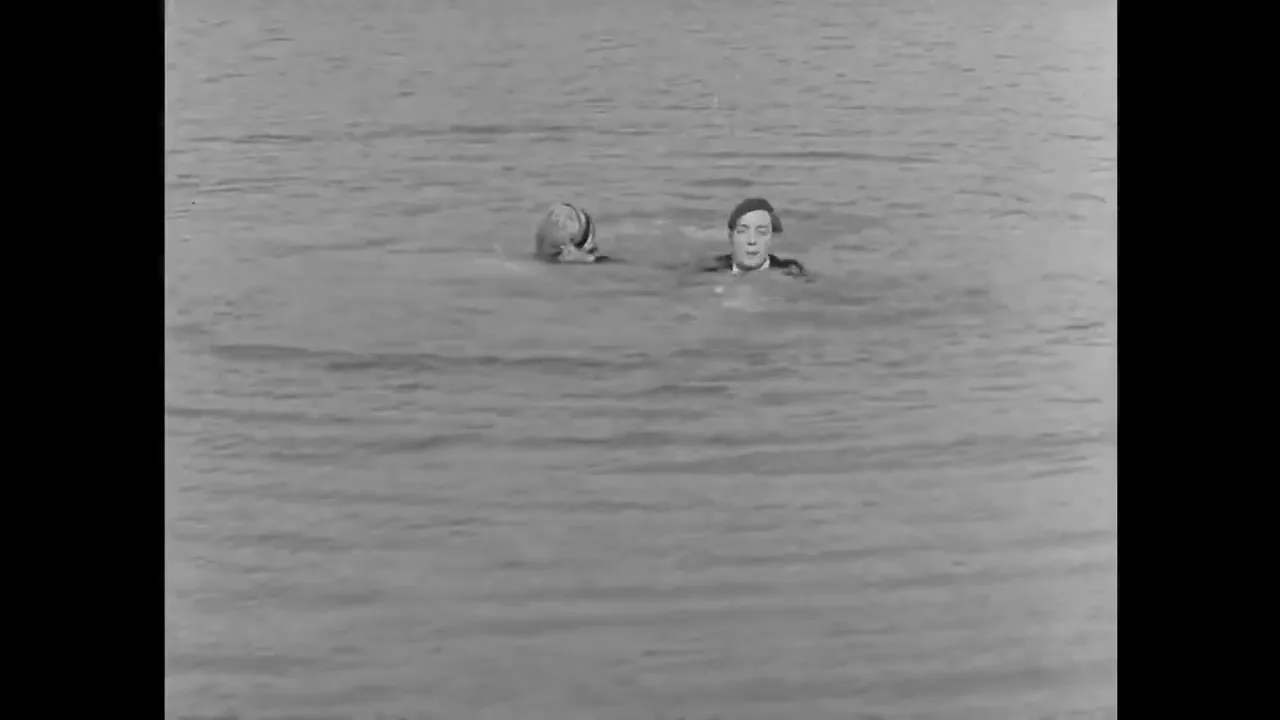
In a cross-dissolve, the outgoing shot fades out while the incoming shot fades in, so both are briefly visible. Columbia's definition: "one shot fades out while the next shot fades in, so it is briefly superimposed over the first and then replaces it altogether."
Shot A
Mid-dissolve
Shot B
Keaton swimming in the dream dissolves back to the projection booth. In the middle frame both shots are on screen at once.Sherlock Jr. (1924), Buster Keaton. Public domain (US).
Dissolve
The crowd cheering the launch fades out while the Moon in a night sky fades in over it. For about a second both shots share the screen.A Trip to the Moon (Le Voyage dans la Lune, 1902), Georges Méliès. Public domain.
Columbia says the dissolve came to be used "primarily to suggest a change in location or time – or to suggest a flashback or dream sequence." It also records the editors' saying "if you can't solve it, dissolve it!"
Illustration of a 24-frame cross-dissolve: for one second at 24 fps both shots are on screen, one fading down as the other fades up.
Fade in and fade out (to black or white)
A fade gradually brings a picture up from, or down to, a solid colour, usually black or white. Columbia defines it as "a means of gradually beginning or ending a scene."
Fade to black, fade to white
Our illustration: the street fades down to black and holds there for a beat, then the bust fades up out of the black. Next the bust fades out to white, and the street, now graded for night, fades up out of the white.Our illustration, made in Vinc's virtual camera lab (CC0 assets).
Dip to colour
A dip is a dissolve that passes through a solid colour at its midpoint: shot A fades to black (or white), and shot B fades up from it. In effect it is a fade-out and fade-in compressed into one transition.
Dip to red, dip to white
Our illustration: the street dips through solid red into the bust, with no hold on the colour, then the bust dips through white into a closer view of the gilded statue.Our illustration, made in Vinc's virtual camera lab (CC0 assets).
Wipe
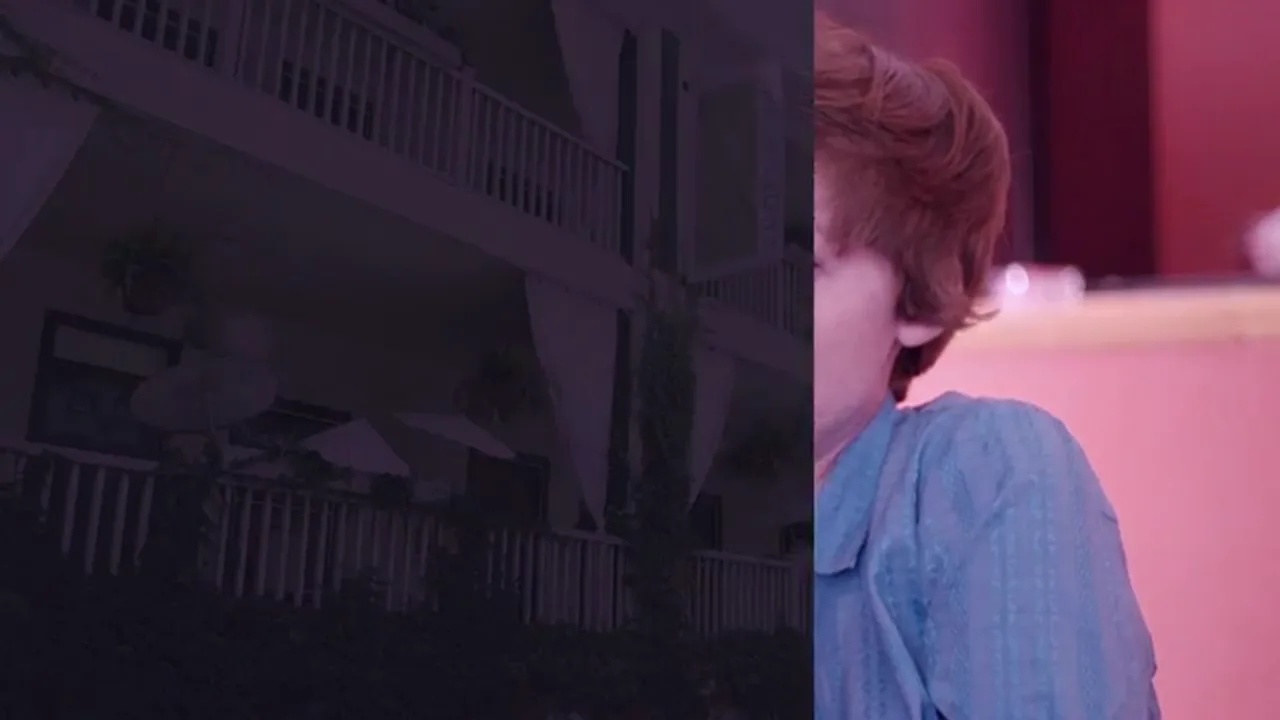
In a wipe, a moving line or shape replaces one shot with the next. Columbia says the wipe was "first deployed in film by Robert Paul in 1901 on Scrooge, or Marley's Ghost," emulating "a curtain dropping in the theater."
Wipe
Our illustration of a wipe between two still renders: a hard vertical edge travels from left to right, replacing the evening street with the statue and red hydrant by a marble bust lit against black.Rendered in Vinc's virtual camera lab (CC0 assets: see ASSETS).
Shot A
Mid-wipe
Shot B
A hard vertical edge travels from left to right across the frame, replacing an interior shot with a dark night exterior.Still from A Sad State of Affairs (2009), M.A. Lanoue / Squire Films, CC BY-SA 3.0 US.
Yale says a wipe often suggests a brief time jump and "a direct connection between the two images," as in Kurosawa's Seven Samurai (1954).
Iris in and iris out
An iris is a circular mask that closes to end a scene (iris out) or opens to begin one (iris in), or calls attention to a detail. Columbia calls it "particularly popular during the silent film era"; Yale's example is Buster Keaton's Neighbors (1920).
Iris out
The last shot of the film: the couple sit together while an older man stamps and flails beside them, and a black circle closes in on the pair until the screen goes dark.Neighbors (1920), Buster Keaton and Edward F. Cline. Public domain (US).
Clock wipe
A clock wipe sweeps around the centre of the frame like a clock hand, revealing the incoming shot. It is a stock preset in DaVinci Resolve.
Clock wipe
Our illustration: an edge pivoting on the centre of the frame sweeps clockwise from twelve o'clock, uncovering the street behind the bust lit against black.Our illustration, made in Vinc's virtual camera lab (CC0 assets).
Push and slide
In a push, the incoming shot shoves the outgoing one out of frame; in a slide, one shot slides over or off the other. Resolve groups them as Motion transitions, which "use the movement of the frames to impart simulated physical momentum to the transition."
Push, then slide
Our illustration: first a push, where the bust enters from the right and shoves the street out to the left, both moving together. Then a slide: the night street slides in from the right over the bust, which stays still underneath.Our illustration, made in Vinc's virtual camera lab (CC0 assets).
Camera-made transitions
Whip pan (swish pan)
A whip pan is a pan so fast that the image smears into streaks; cut two together and the blur hides the edit. Columbia (as "swish pan") says it is "usually employed to imply that the intercutting scenes are occurring at the same moment or one right after the next."
Whip-pan transition
Our illustration: the camera holds on the street, then whips right so fast the picture smears into horizontal streaks. The shot changes inside the blur, and the camera settles on the marble bust.Our illustration, made in Vinc's virtual camera lab (CC0 assets).
In a prompt: Google's Veo guide offers "whip pan from one arguing character to another."
Zoom transition (crash zoom)
A zoom transition punches in fast on the outgoing shot and out (or in) on the incoming one, hiding the edit inside fast motion. Resolve ships it as "Crash Zoom: Performs two rapid zoom-ins on the clips as a transition."
Crash zoom
Our illustration: the camera crashes in on the far end of the street until the picture streaks outward from the centre. Inside the blur it cuts to the bust, which zooms back out and settles.Our illustration, made in Vinc's virtual camera lab (CC0 assets).
Effect transitions
Morph cut (Premiere Pro)
Morph Cut is an Adobe Premiere Pro transition that removes pauses from a talking-head interview and can "smooth out distracting jump cuts" using "an advanced combination of face tracking and optical flow interpolation." It works best with a fixed camera and "a static background." Resolve's equivalent is Smooth Cut.
Morph cut
Our illustration of the technique (Premiere's Morph Cut works similarly, using face tracking and interpolation): the jump cut from earlier, with nine interpolated frames in place of the jump. Her head turns smoothly instead of snapping and her gloved hands drift into her lap; watch her face mid-turn, where the interpolation smears it for a few frames.Our illustration, edited from His Girl Friday (1940), Howard Hawks. Public domain (US).
Luma fade (luma key transition)
A luma transition uses an image's brightness to decide which pixels change first, so dark areas of a gradient or texture reveal the next shot before bright ones. Resolve suggests driving it with "geometric shapes or gradients," or "movie clips of fire, water ripples, or rain." The same principle in After Effects is a luma track matte (see part 12).
Luma fade
Our illustration: the brightest parts of the street change first. The sky turns into the bust lit against black, then the lit facades follow, and the dark cobbles and shadows are the last to go.Our illustration, made in Vinc's virtual camera lab (CC0 assets).
Film burn and light leak
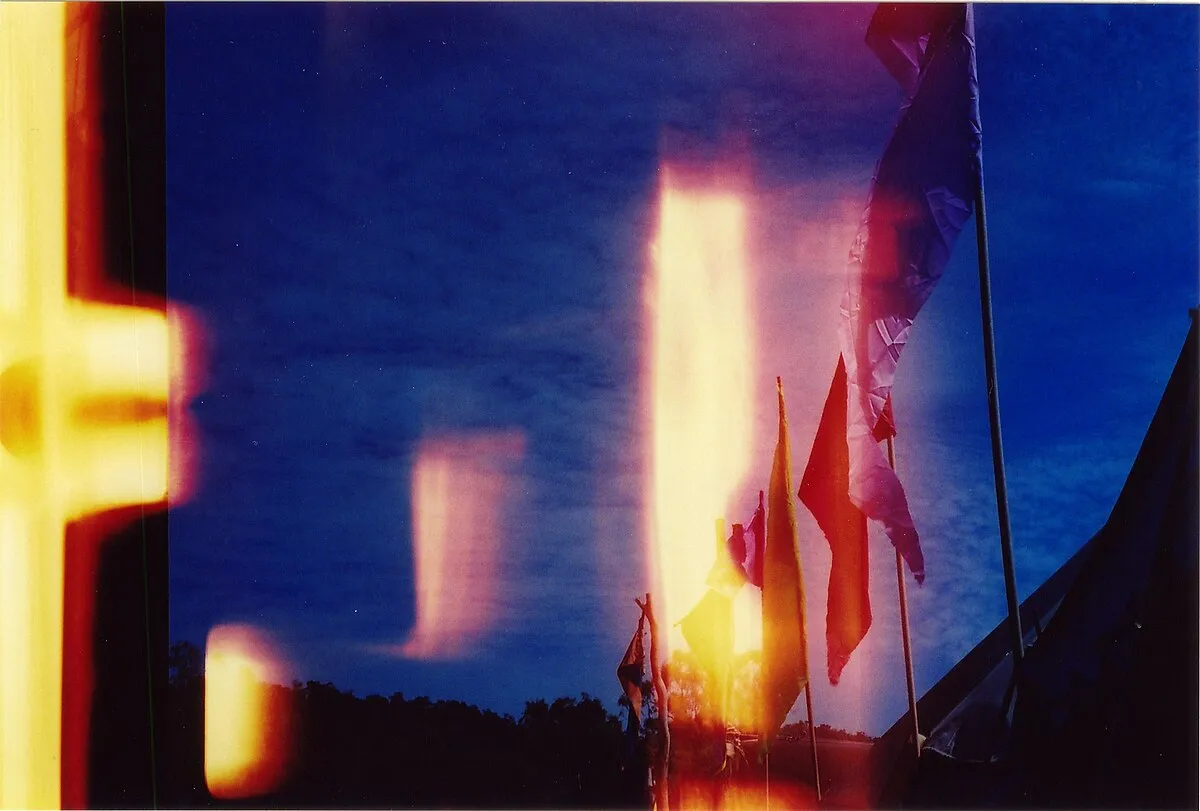
A film burn imitates a print melting in the projector gate; Resolve's Burn Away transition "replicates the visual of a film print burning up in the projector." A light leak imitates stray light fogging the film. Laid over a cut in Screen mode, an overlay's black areas drop out and only the light remains.
Light leak
Stray light fogged this film frame, leaving orange and red streaks across a blue sky with flags.Photo: Sgroey, Wikimedia Commons, CC BY-SA 4.0.
Glitch
A glitch transition breaks the image into digital artefacts (blocks, colour-channel offsets, tearing) for a few frames across the cut. Resolve's Fusion Glitch "performs a digital breakup of the image as a transition" and is "best used in very short durations of a few frames."
Glitch
Our illustration: for eight frames (a third of a second) the street breaks up. Colour channels split apart, horizontal bands slide sideways and the picture flickers between the street and a close view of the statue, then settles on the statue.Our illustration, made in Vinc's virtual camera lab (CC0 assets).
Montage meaning, and what each transition says
Montage transition
A montage, in everyday use, is a sequence of short shots, often with music and dissolves, that compresses time. Yale also gives "a synonym for editing," and the 1920s Soviet approach that builds "ideas not present in either shot by itself." Yale cites the baptism sequence in The Godfather (1972), which intercuts a christening with murders.
Odessa steps montage
The Odessa steps in Soviet montage: shots about a second long of a pram's wheels, a shouting student, an old man stooping over a body as the crowd flees down the steps, and a baby in the pram. No single shot shows the massacre; the cutting builds it.Battleship Potemkin (1925), Sergei Eisenstein. Public domain (US).
What each transition conventionally says
Transitions are conventions, not rules. These are the meanings the sources above record:
Transition
Conventional meaning
Source
Cut (within a scene)
Continuous time; the audience should not notice
Columbia, continuity editing
Dissolve
Change of time or place; flashback or dream
Columbia; Resolve manual
Fade out / fade in
Beginning or ending of a scene
Columbia
Wipe
Brief time jump, direct link between the two images
Yale
Iris
Opening or closing a scene; drawing attention to a detail
Columbia; Yale
Swish pan
Events happening at the same moment or one right after another
Columbia
Jump cut
Calls attention to the editing itself
Columbia
Sound bridge
Connection and continuity of mood between scenes
Yale
Montage
Ideas from juxtaposition; time compressed
Yale; Columbia
Our rule of thumb: when a transition draws attention to itself, the audience looks for a reason. If there isn't one, cut. Most video models generate one continuous shot per request, so effect transitions are usually built in the edit.
How we compiled this
Film-history definitions come from Columbia University's Film Language Glossary and Yale's Film Analysis guide, read on 18 November 2026. Software transitions come from the DaVinci Resolve 20 Reference Manual and Adobe's Morph Cut help page; film examples come from the press sources listed. The dissolve timeline is an illustration with round numbers.
Aspect Ratios in Film Explained: 1.33 to 2.39 and 9:16, With the History and Delivery Specs
Aspect ratios in film are width divided by height. See where 1.375, 1.85, 2.39, 16:9, IMAX and 9:16 came from, and the containers cinemas and Netflix expect.