How to make an AI film, from script and reference frames to shot list, generation, edit, sound, festivals. Free-tier limits and costs checked 18 November 2026.
Method. Vendor pricing pages and help-centre articles (Google Flow, Runway, Kling, Luma, Midjourney, ElevenLabs, Suno, Blackmagic Design, Topaz Labs), festival sites and the EU AI Act text, read November 18, 2026; cost-per-minute figures are our arithmetic. Vinc makes an AI film studio.
How to make an AI film: the short answer
To make an AI film, write a short script, fix the look and characters with reference images, break the script into a shot list, and generate each shot as its own clip. Then edit, add sound and music, and enter a festival that accepts AI work. Generation is one of eight steps; the other seven are ordinary filmmaking, and they decide whether the result plays as a film or as a reel of clips.
The eight steps of an AI short film. Generation is one stage; planning comes before it and editing, sound and release after.
Step 1: Write a script short enough to finish
A first AI film is usually a short. The Runway AI Festival's 2027 film category takes "Short films, 3–10 minutes", due by 5 April 2027 (Runway AIF). Our guide to AI film festivals lists the runtime rules for the other main competitions.
Write in standard screenplay format, because it doubles as a timing tool. Stephen Follows tested the page-a-minute rule against 2,871 scripts and revised it to "approximately one minute of screen time, give or take 20%" (see our screenplay format guide). So aim for about five pages for a five-minute short.
Before generating anything, decide the palette, lens feel, lighting and grain, then make or collect a few still frames that show it.
The vendors ask for it. Runway recommends a "high-quality photo of your subject with even, natural lighting" as the starting input (Runway Help). Google asks for a high-quality source image for image-to-video, as quoted in our prompting guide.
Showing beats describing. Our test on grading to a reference frame found that giving the model a frame beat describing the colour in words.
Step 4: Turn the script into a shot list and storyboards
A shot list breaks each scene into numbered shots, each with a size, angle, movement and description. With AI, each line is one generation, so the list is also your generation queue and your budget. See our storyboards and shot lists explainer and the AI storyboard generators that work from a script.
Clip length is capped. Veo 3.1 generates up to 8 seconds per clip, Gemini Omni 1.2 Flash up to 15 and Kling 4.0 up to 30 (see our models compared).
Each shot should do one thing. OpenAI's Sora 2 guide said "Each shot should have one clear camera move and one clear subject action". Google warns that chaining events in one short clip "often leads to muddled or incomplete videos".
Plan coverage the way an editor would: a wide master, then closer shots and inserts. Learn the shot sizes and the 180-degree rule first, so the shots cut together.
Step 5: Generate the shots
Most AI filmmakers make a still first and animate it, so they can check character, set and framing before paying for motion. Then prompt the motion only: Google's heading is "Prompt for motion only", and Runway says image-to-video prompts "focus almost exclusively on motion". Write the move in film language with our camera language guide.
Expect several attempts per shot. In one budget we analysed in what an AI shot really costs, the creator ran each 30-second sequence 3 to 7 times.
Some prompts are refused even for fictional characters. Our likeness rejections by provider log helps you pick a fallback engine.
How much does it cost to make an AI film?
Published rates on beginner plans, re-checked 19 November 2026:
Service
Free tier
Entry paid plan
What the credits buy
Google Flow
50 credits a day, no carry-over
Google AI Plus adds 200 credits a month, Pro 1,000
Omni Flash 1.2: 1 credit/s at 360p, 3/s at 720p. Veo 3.1 Lite: 10 credits per 4–8 s clip (non-Ultra)
Gen-4.5: 12 credits/s. Kling 4.0 1080p: 118 credits per 5 s
Kling
Basic at $0; no monthly credits or commercial use
Standard, $10/month list (a promotion showed $6.50 for the first three months), 660 credits/month
$0.98 per 100 credits on Standard
Vinc (us)
No free plan. 7-day trial, card required: 600 credits a day, expiring daily
Starter, $10/month, 1,000 credits; unused paid credits roll over
Veo 3.1 Fast: 12 credits/s without audio, 18 with. Kling 3.0 Pro: about 13.4 without audio (our arithmetic)
Vinc: screenplay
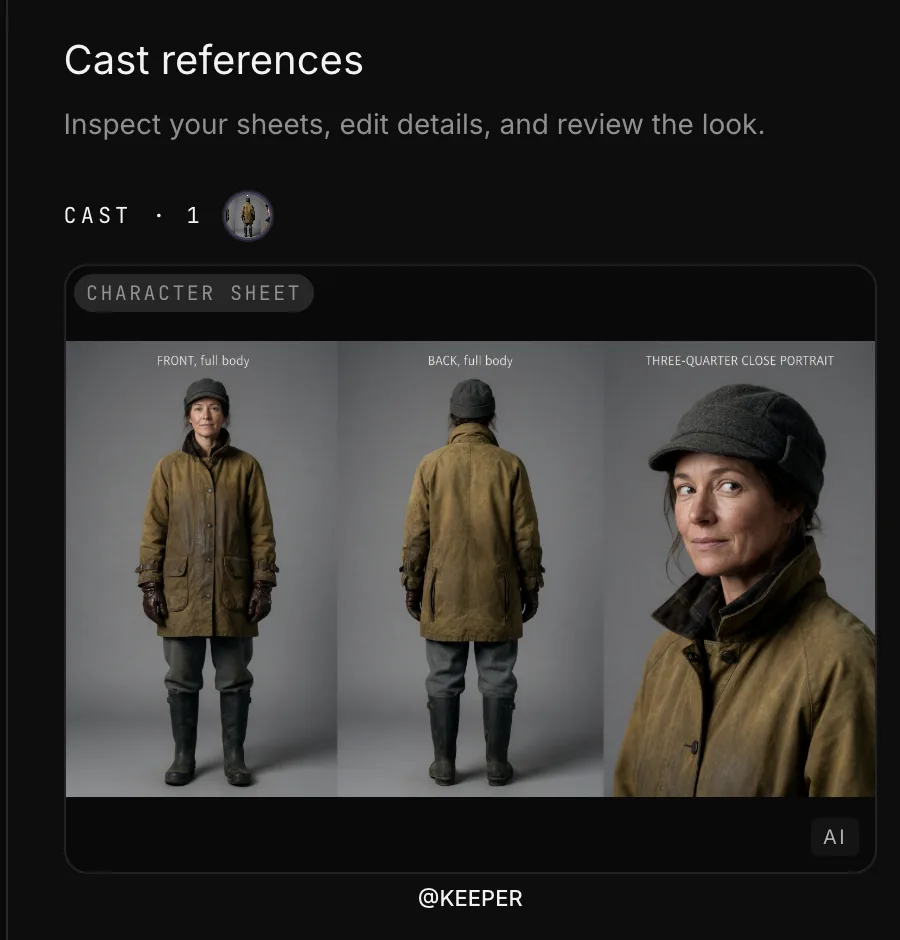
Vinc: cast sheet
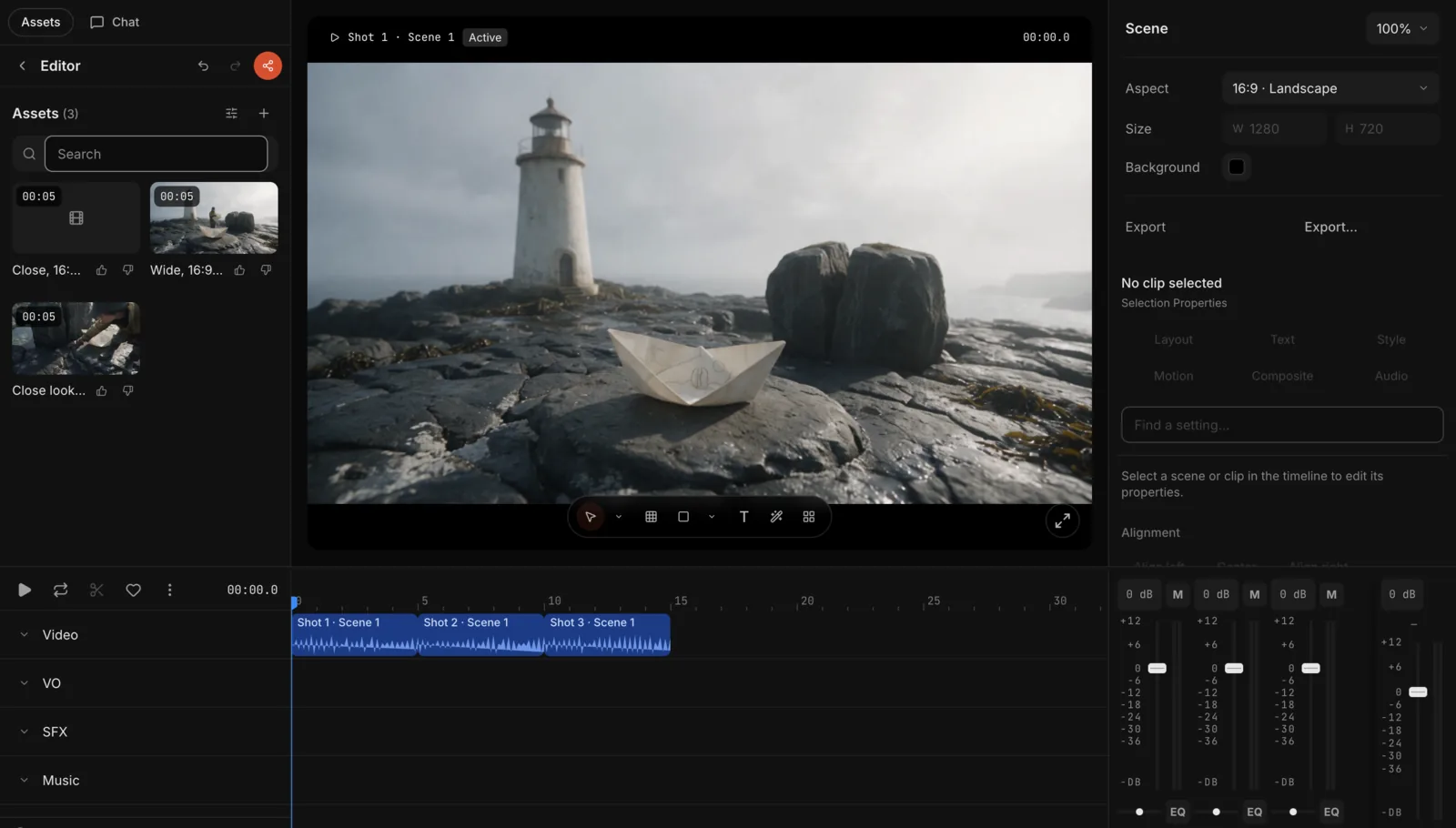
Vinc: timeline
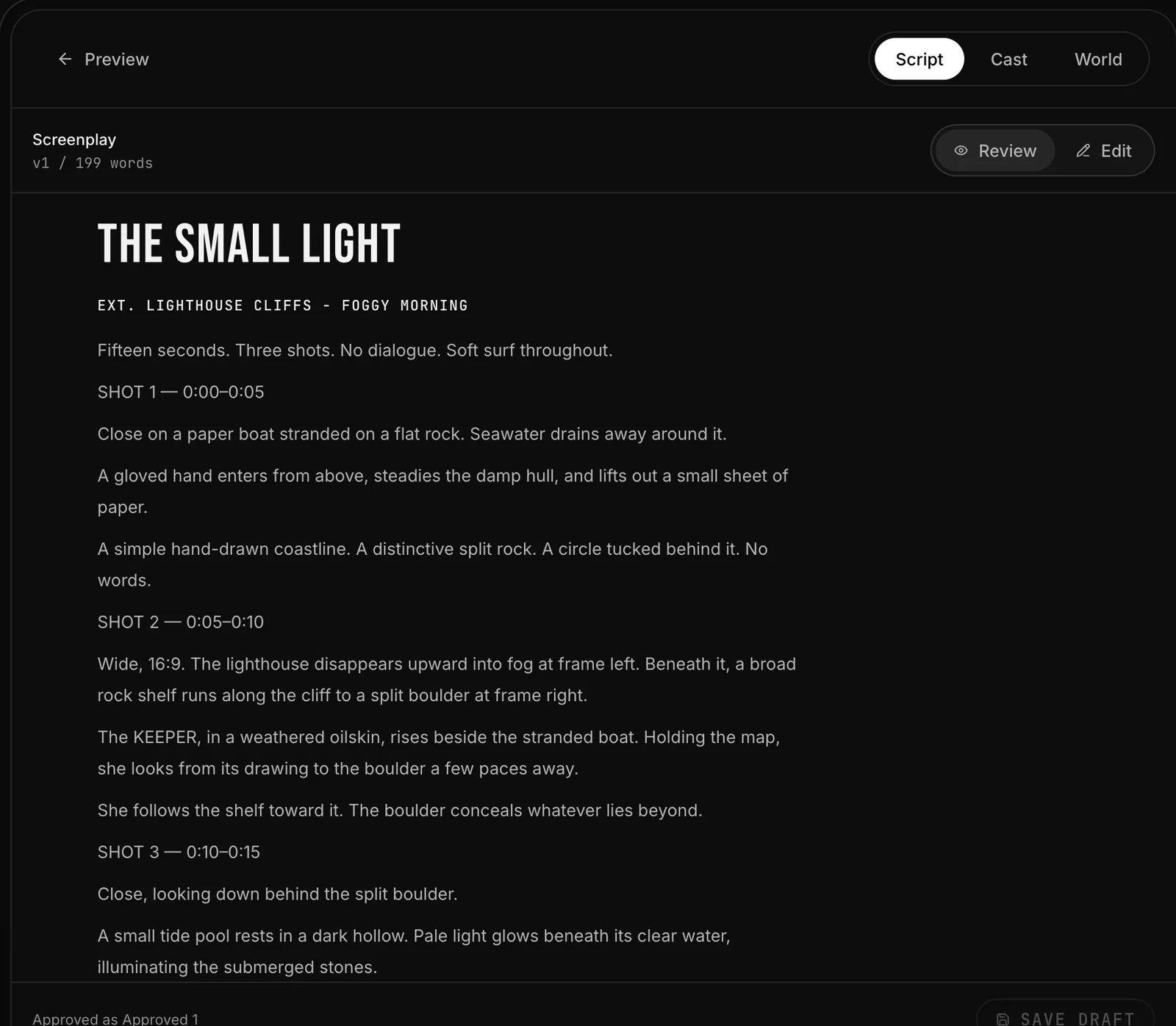
Our studio, Vinc, taking a 15-second test film through steps 1, 3 and 6: the drafted screenplay, the locked character sheet, and the three generated shots cut on the timeline.Screenshot by Vinc, 18 Nov 2026.
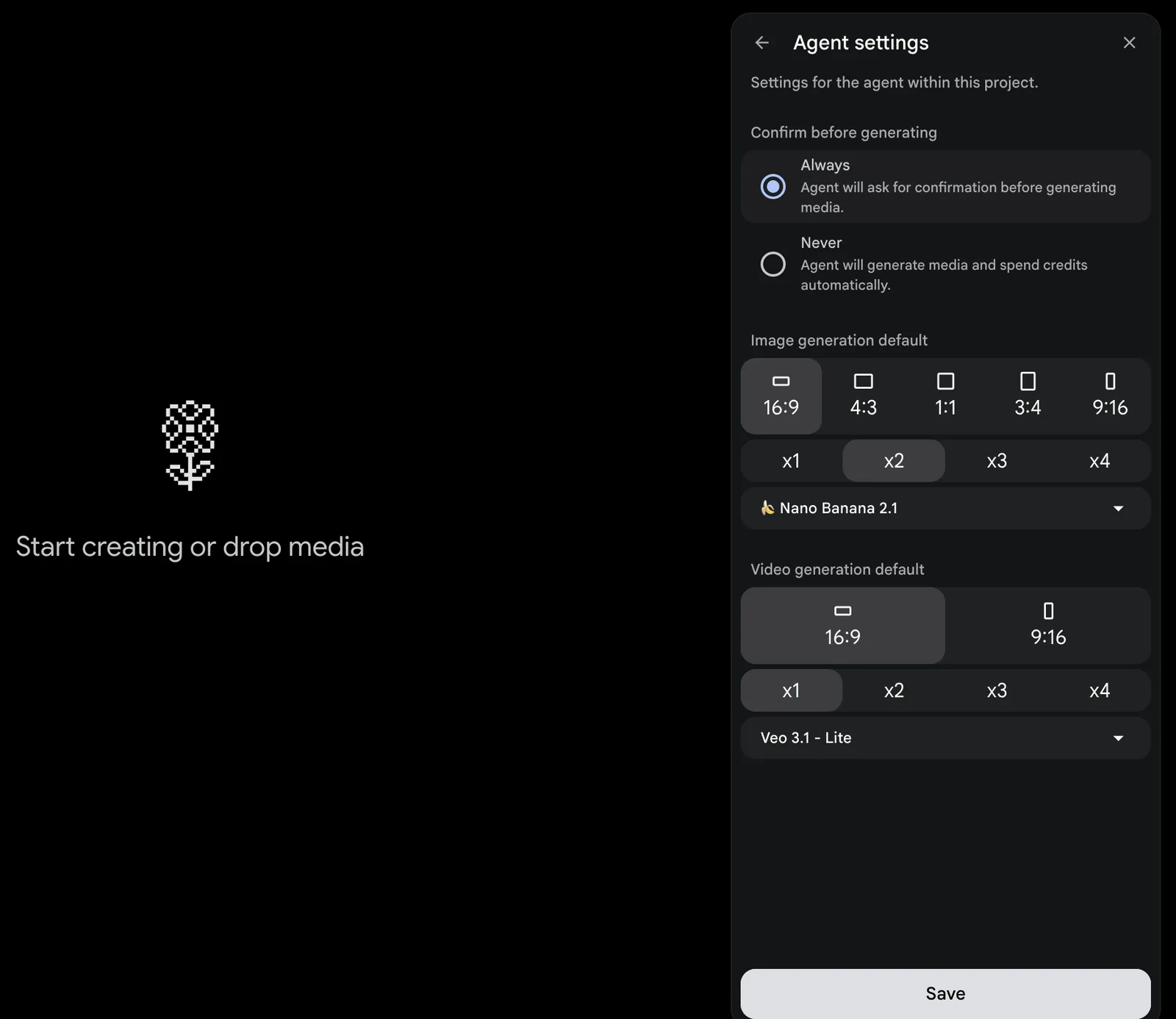
Google Flow
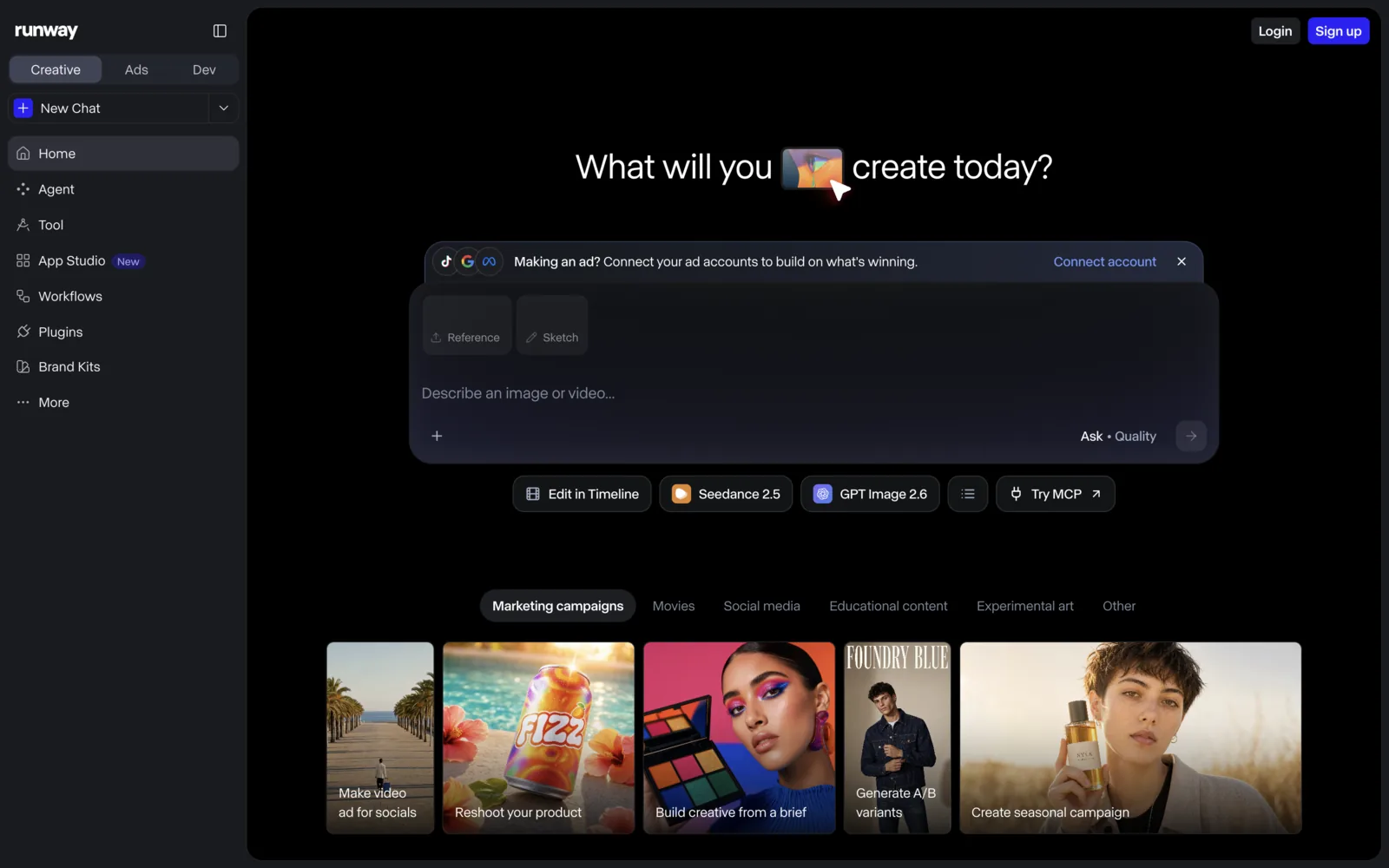
Runway
Kling
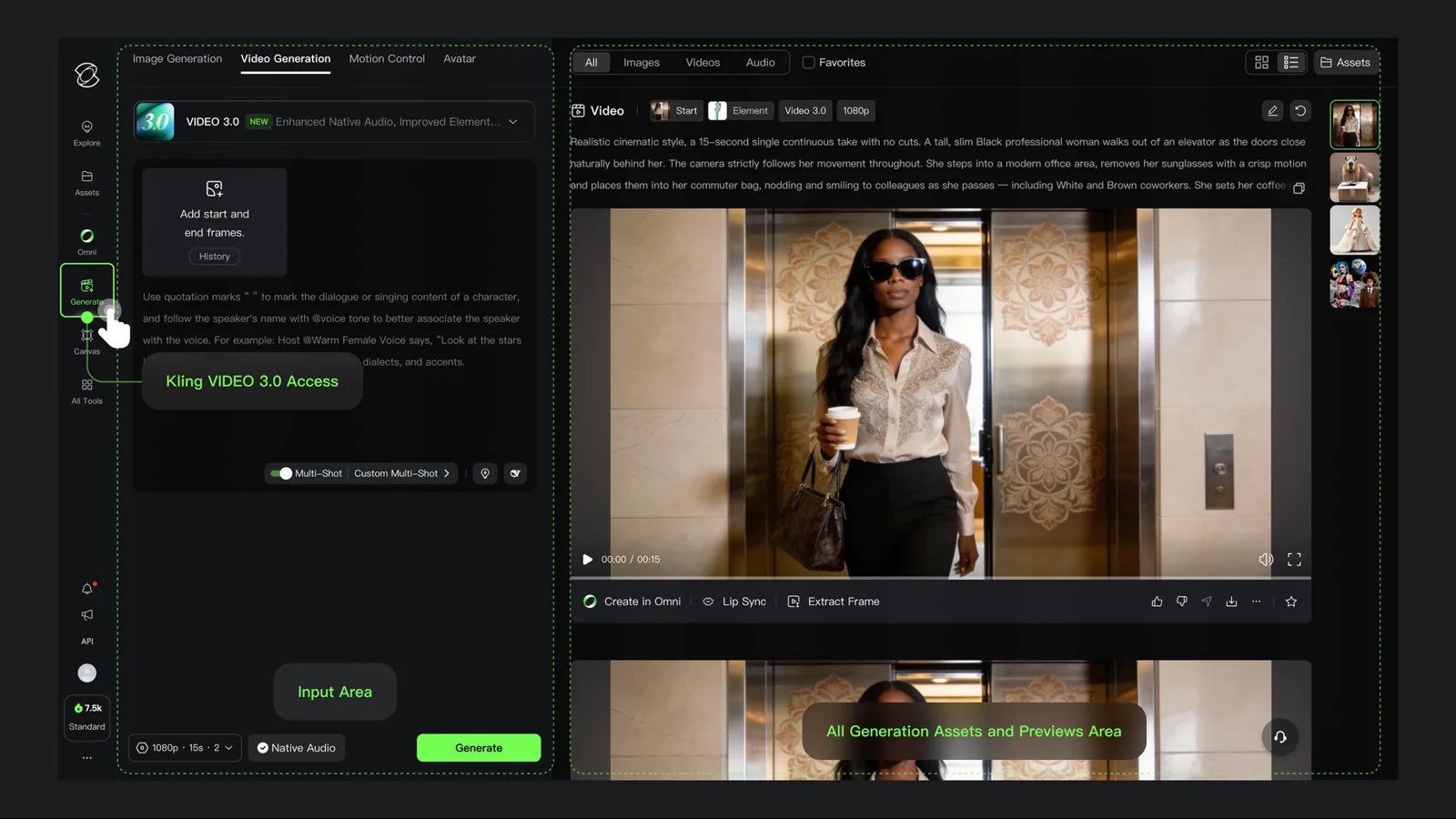
A new, empty Google Flow project with its default model settings open, and Runway's generation home, plus Kling's video generation panel from its own user guide.Screenshot by Vinc of Flow; screenshot by Vinc of Runway's web app while signed out. Both 18 Nov 2026. Image: Kling AI, from its VIDEO 3.0 Model User Guide, 18 Nov 2026.
For a one-minute film, assume five attempts per finished second (the middle of the 3–7 range above), so 300 generated seconds. Here is our arithmetic on Runway's published rates:
Runway credits to generate 300 seconds (a 1-minute film at 5 attempts per shot)
Gen-4.53,600 credits
Kling 4.0, 1080p7,080 credits
Aleph 2.08,400 credits
Seedance 2.0 Pro, 1080p12,000 credits
Our arithmetic from Runway's published rates, 18 Nov 2026: Gen-4.5 12 credits/s; Kling 4.0 1080p 118 credits/5 s; Aleph 2.0 140 credits/5 s; Seedance 2.0 Pro 1080p 160 credits/4 s. For scale, Runway Pro includes 2,250 credits a month and Max 9,500.
On Gen-4.5, that minute needs more than Runway Pro's 2,250 monthly credits but fits inside Max's 9,500. Across eleven models, API list prices span about 19 times, from $0.06 to $1.164 per second; our models compared article has the full table.
Can you make an AI film for free?
Vinc (us) gives eligible new accounts 600 trial credits a day for up to 7 days. A card is required, daily credits expire, and billing starts when the trial ends unless you cancel (Vinc pricing). That's roughly 45–50 seconds of video a day, or about 5–6 minutes across the week, by our arithmetic. Exports have no watermark and no length cap, keep the source clips' resolution and frame rate, and can be used commercially (Vinc terms). The studio needs a desktop or laptop browser.
Google Flow gives 50 credits a day, about 16 seconds of 720p Omni Flash 1.2 video by our arithmetic. Extending, upscaling and 15-second clips need a paid plan, and Flow retires Veo 3.1 Fast and Quality on 5 December 2026 (Flow models).
Runway's 125 one-time credits buy about 10 seconds of Gen-4.5, watermarked; Kling's Basic plan has no monthly credits.
ElevenLabs gives 10,000 credits a month, about 10 minutes of text to speech (ElevenLabs pricing), for non-commercial use only (see our voice tools guide).
Suno's free plan gives "50 song credits per day" with "No commercial rights" (Suno pricing).
DaVinci Resolve 21 is free and handles up to Ultra HD 3840 x 2160 at 60fps (Blackmagic Design).
Several free tiers restrict commercial use or add watermarks, so make final renders for anything you'll sell on a paid plan.
Our AI video editors compared checks seven editors on price, export and watermarks. In Vinc (us), the timeline trims, scores, captions and renders without exporting to another app. DaVinci Resolve's free version is the usual zero-cost choice; Studio lists at $295, shown at $236 on sale when we checked.
For 4K delivery, Runway includes upscaling from Standard (Runway pricing), and Topaz Video is a desktop option (Topaz Labs pricing).
Step 7: Sound, voice and music
Some models generate audio (our models compared table marks which), but most films still need a pass for dialogue, effects, ambience and score. Our sound design explainer describes the layers.
Voice. Our AI voice and dubbing guide compares the tools and the consent rules for cloning a real voice.
Music. Our AI music guide found that Udio's terms bar commercial use and ElevenLabs Music excludes film and TV below its enterprise tier. For conventional licensing, see music licensing explained.
Step 8: Festivals and release
AI-specific festivals are the most direct route for a first AI short. Two with open calls as of 18 November 2026:
Runway AI Festival 2027. Films of 3–10 minutes, due 5 April 2027. The Grand Prix is $50,000 plus 1,000,000 Runway credits, with screenings in New York on 10 June and Tokyo on 2 July 2027 (Runway AIF).
Chroma Awards Season 2. Open until 7 January 2027, with a listed "$450,000+" cash and travel prize pool across divisions including Film & TV (Chroma Awards).
Article 50 of the EU AI Act, applying from 2 August 2026, requires disclosure of deep fakes. For "evidently artistic, creative, satirical, fictional" work, that means disclosing "in an appropriate manner that does not hamper the display or enjoyment of the work" (AI Act, Article 50). Every Flow output from Google's Veo, Omni and Nano Banana models also carries an invisible SynthID watermark (Flow help).
Where Vinc fits
Vinc is an AI film studio in the browser: shot planning, cast and location references, image and video generation, and timeline editing in one place, with monthly plans from $10 USD. It's one option if you'd rather not move files between separate tools.
FAQ
Which AI video generator is best for making a film?
No independent benchmark we found settles this for narrative film. Compare published limits (clip length, resolution, reference support, price per second) in our models compared table, then test your own shot on two or three engines. Vinc (us) lets you animate the same keyframe on several engines in one project, including Veo 3.1 Fast, Kling 3.0 and Seedance.
How we compiled this
We read every vendor page cited here on 18 November 2026; prices are US dollars as displayed, and some were promotional. The one-minute-film chart is our arithmetic, and its five-attempts-per-shot figure is an assumption from the middle of one creator's reported range, not a measured average. Vinc makes an AI film studio and didn't pay or brief any vendor named here.
AI Music for Film: Suno, Udio and Other Generators on Licences, Ownership, Lawsuits and Cue Sheets
Whether an AI-generated track can go in your film depends on the plan you made it on, whether the terms exclude film and TV, and whether anyone can own it at all. This guide compares the published terms of Suno, Udio, ElevenLabs Music, Stable Audio and AIVA, sets out the label lawsuits as reported, and explains what US copyright law and North American PRO rules mean for your cue sheet.